
CREATIVE MINISTRY RESOURCES
CREATIVE POLICIES
PHOTOGRAPHY & VIDEOGRAPHY POLICIES
At Open Door Church, we value the opportunity to capture and share moments of worship, community, and ministry. Photography and videography allow us to celebrate what God is doing in and through our church, communicate with our congregation, and invite others into the life of our church. We are committed to using all media in a way that honors Christ and respects every individual.
CREATIVE & COMMUNICATIONS POLICY
The goal of this policy is to ensure that all communications and creative efforts at Open Door Church are clear, consistent, and aligned with our mission. By centralizing requests and stewarding how and what we communicate, we seek to serve our congregation with excellence while avoiding unnecessary noise.
SOCIAL MEDIA POSTING POLICY
The purpose of this Social Media Posting Policy is to provide clear guidance and standards for all content published on behalf of Open Door Church across digital platforms. Our social media presence exists to reflect the heart, mission, and values of our church by sharing content that is Christ-centered, encouraging, and engaging. This policy ensures consistency, accountability, and integrity in how we communicate with our congregation, community, and the public.
BRAND VOICE
The purpose of this Brand Voice Chart is to establish a consistent and unified communication standard for Open Door Church. It serves as a guide to ensure that all messaging is clear, theologically grounded, and aligned with the church’s mission and values, while fostering a tone that is welcoming, intentional, and reflective of the Gospel in every context.
PHOTOGRAPHY GUIDE
Welcome to the Open Door Church photography guide. This guide is designed to equip you to take the best photos possible while following Open Door's policies and guidelines.
VOLUNTEERS
When volunteering, please grab an OD Photography Volunteer Lanyard located in the Interpreter's room (inside the production booth). This identifies you as an official volunteer and includes a QR code back to this page for easy access.
Photographers are not allowed to take photos downstairs during Next-Gen activities unless specifically scheduled to, as parents have to consent prior to their child's photo being taken. When taking photos in the lobby, try to put yourself out of the way and remain respectful of people's personal space. You may approach people in the lobby to ask if they would like their picture taken but also be respectful if they decline. When capturing moments during the service, stay along the back walls of the Worship Center or booth, and be aware of your shutter noise during quiet times like prayer.
Please review our entire photography policy before your first time serving. Thank you for your desire to serve and capture beautiful moments as our church family gathers for connection, worship, and discipleship!
CAMERA SETTINGS
WB: 4800k Only (For Consistent Preset Editing)
Aperture: Lowest Possible (Usually f/2.8)
Shutter Speed: 1/125 and Above (Higher Values at Longer Focal Ranges)
ISO: Lowest Possible While Maintaining Proper Exposure (Set after Ap & SS)
Additional Settings: RAW Format Only, Format SD Card first, Continuous Auto Focus.
These settings are required when taking photos for Open Door Church to maintain brand consistency, unless the camera isn’t capable or incredibly rare lighting situations require alterations.
EDITING SETTINGS
Open Door uses presets in Adobe Lightroom to achieve consistent looks across all of our photos, even when taken on different days, cameras, or environments. You can download the .xmp files with the button below, and import them into Lightroom to quickly apply the look to your photos. You'll just need to adjust the Exposure for each photo, as that depends on your environment
Locations With Unique Editing Presets:
- Worship Center | (OD-WorshipCenterService)
- Hallways, Lobby, Classrooms | (OD-Lobby&Hallway)
- Outdoors | (OD-Outdoor)
- Discovery Class Portraits | (OD-DiscoveryClass_Headshots)
PHOTO USAGE
- Choose photos that align with our brand values: When selecting photos for Open Door Church, keep in mind that they should align with our brand values of community, knowledge, and authenticity. Photos should be inviting and represent the diversity of our church community.
- Use high-quality photos: All photos used should be of high quality and resolution. Blurry or pixelated photos are not acceptable.
- Avoid clichés: Avoid using clichéd or stereotypical images. Instead, strive for unique and creative photos that accurately represent our church community.
- Use appropriate filters and effects: When editing photos, use appropriate filters and effects to enhance the quality of the image. However, be careful not to alter the image in a way that distorts or misrepresents reality.
- Stay consistent: To maintain consistency in our brand, use a similar style of photography throughout all materials, including our website, social media, and print materials.
BRAND STYLE GUIDE
Welcome to the Open Door Church style guide. This guide is designed to help maintain consistency in all communications materials and ensure that our visual identity is accurately represented. We believe that a consistent and well-designed brand helps communicate our message more effectively. In this guide, you will find detailed information on our logo, color palette, typography, and imagery. By adhering to these guidelines, we can create a cohesive and professional image that reinforces our mission and values.
COLOR PALETTE
As an integral part of Open Door's brand identity, the colors used in our marketing and design materials must reflect the essence of our church. The lush aqua and brigadier blue are our primary colors, which represent our values of faith, hope, and love. These colors are to be used in all Open Door branding and marketing materials. While white and black can be used as supporting colors in the Open Door branding, they should be used in moderation to maintain consistency and clarity. Additionally, we encourage the use of other complementary colors that are not listed here to add variety and creativity to the designs while still remaining true to the Open Door brand. It is important to follow the Open Door brand guidelines to ensure that all designs reflect our church's identity, message, and mission.



TYPOGRAPHY
Futura is a geometric sans-serif typeface that has been widely used in various design applications, including print, web, and branding. Designed in 1927 by Paul Renner, the font features clean, simple lines and a modernist, timeless look. Futura is an excellent choice for titles, headings, and body text, as it is highly legible and has excellent readability. It comes in several weights and styles, from light to bold and condensed to extended, providing flexibility in design choices. When using Futura, it is essential to consider spacing and alignment, as its geometric shapes can create visual imbalances if not used carefully. The Open Door Church style guide recommends using Futura for its modern, clean, and versatile design, creating a cohesive and professional look across all communication materials.
For print applications, body text should be Futura PT Book at a point size of 9 to 12. Paragraph point size should stay consistent throughout an entire document. Use the styles below as a guide for titles and sub-headers.
FUTURA
The five boxing wizards jump quickly
Aa Bb Cc
The five boxing wizards jump quickly
Aa Bb Cc
The five boxing wizards jump quickly
Aa Bb Cc
CAPTIONS
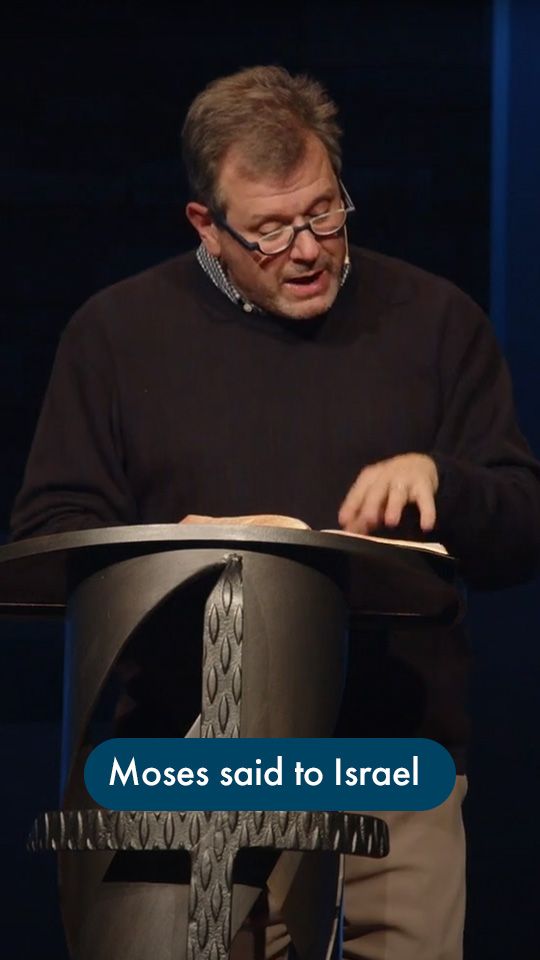
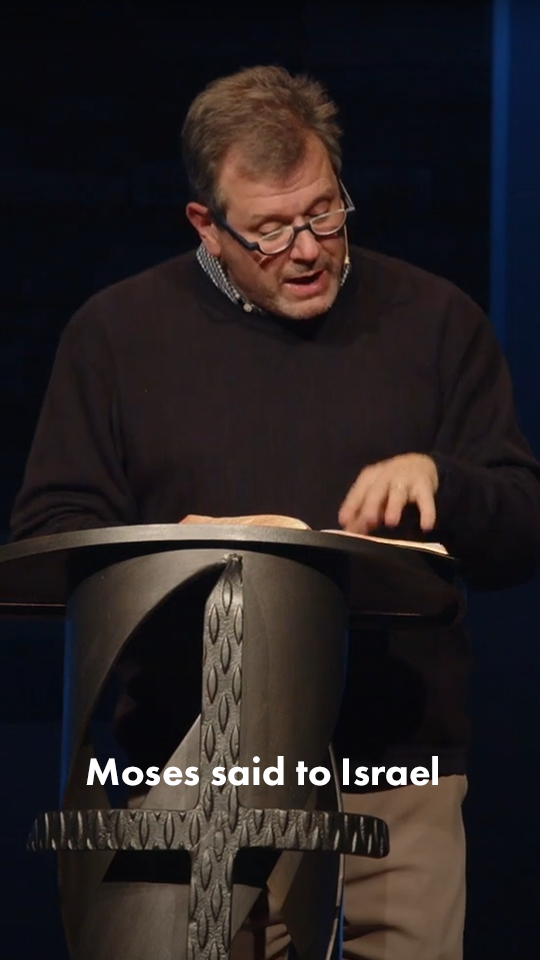
Captions play an important role in creating a cohesive and effective visual message, especially as short-form content continues to grow in prominence. When using captions for Open Door, adhere to the following rules:
- Use one of the styles provided left.
- Only one line of text per caption.
- No more than 7 words per line.
Other styles may be used for sermon series, campaigns, or specific ministries, but must adhere to the one line & no more than 7 words rules.
LOGO
The Open Door logo features a circle with a circular stroke surrounding it. The circle symbolizes the unity and completeness of the church community, while the stroke represents the protection and support offered by the church. The logo is designed to be simple, clean, and easily recognizable, with the use of bold typography and minimalistic design. To ensure consistency and clarity, please adhere to the following guidelines when using the Open Door logo:
- Maintain ample space around the logo so it is not cluttered
- Always maintain the correct proportions of the logo
- Never stretch, distort, or alter the logo in any way.
- Use the full color logo when it is the focal point of a design
- Use a solid color logo when it is not the focal point